The safest seed phrase storage plan keeps the backup offline, private, readable, recoverable, and protected from both physical damage and unauthorized access. No single material or hiding place solves every threat, so begin with a threat model rather than a product recommendation.
Never put real words into a template
Do not type or paste a live seed phrase into a printable checklist, online generator, note-taking app, AI chat, support ticket, or cloud document.
Start with the threats you need to handle
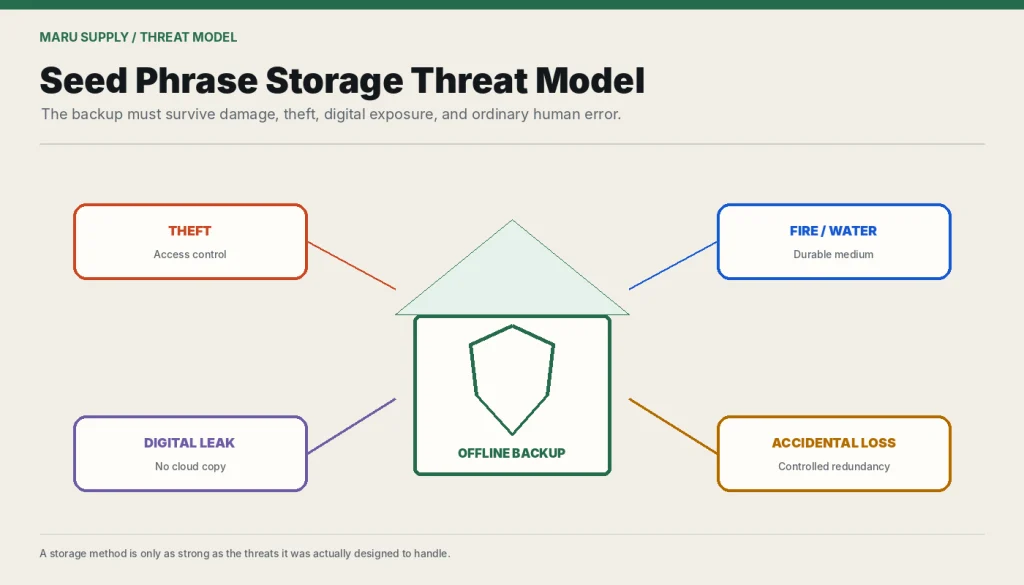
| Threat | Example | Control to consider |
|---|---|---|
| Theft | A visitor, burglar, employee, or service worker finds the backup. | Concealment, access control, tamper evidence, limited copies, and separation of knowledge. |
| Fire or water | Paper becomes unreadable. | Durable storage, protected location, or a separately secured second copy. |
| Accidental loss | The backup is discarded during a move. | Clear private labeling, inventory, and periodic checks. |
| Digital compromise | A photograph or note syncs to the cloud. | Keep the primary backup off cameras and general-purpose devices. |
| Phishing | Fake support asks for “verification.” | A strict rule that the phrase is never disclosed to support. |
| Memory failure | A passphrase or location is forgotten. | A documented recovery plan that does not expose all secrets together. |
| Single point of failure | One event destroys the only copy. | Controlled redundancy without uncontrolled duplication. |
Use an offline primary backup
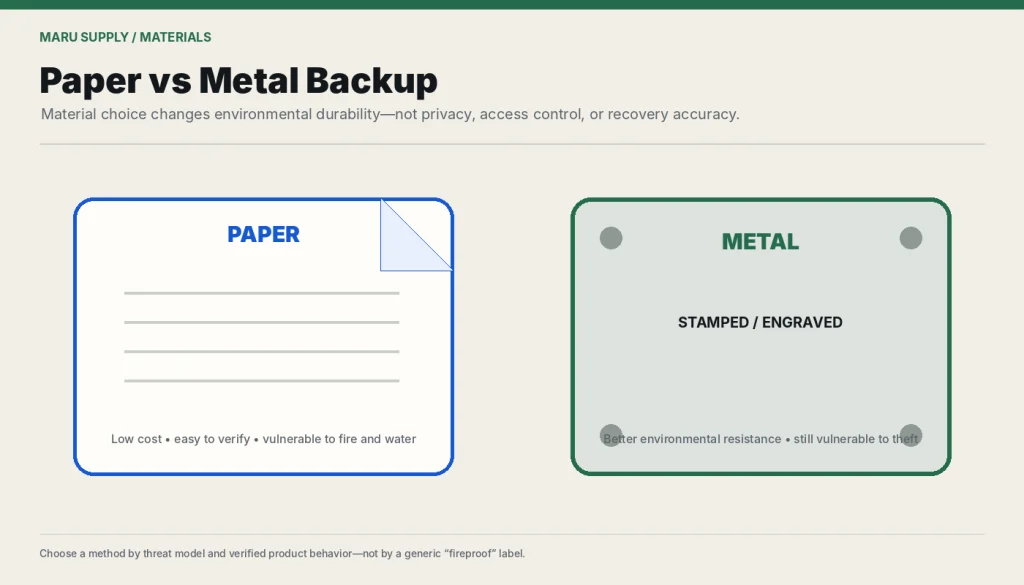
For many users, an offline physical record is the simplest baseline. Write the words clearly, preserve the exact order, and check each word against the wallet’s confirmation process during setup. Do not photograph the result “just in case.”
Paper is inexpensive and easy to read but vulnerable to fire, water, fading, pests, and disposal. Metal storage can improve resistance to some environmental damage, but product durability varies and physical theft remains possible. Do not rely on marketing labels such as “fireproof” without a credible test method and relevant conditions.
Should you make more than one copy?
A second copy can reduce the risk of total loss, but it also creates another theft target. The copies should not be stored together or handled by people who do not understand the security consequences.
- Avoid storing all copies in one building or one container.
- Avoid making so many copies that you cannot track them.
- Record when a copy is created, moved, checked, or destroyed—without recording the words in the log.
- Consider who can access each location and what happens after a move, death, separation, or change in trusted relationships.
What not to use as the only backup
- A phone photograph or screenshot.
- Email drafts or messages to yourself.
- Unencrypted cloud documents.
- A note stored on the same device as the wallet.
- A password hint that another person can guess.
- Memory alone.
- A sealed envelope placed somewhere likely to be thrown away.
- An online “seed checker” or recovery tool.
What about encrypted digital storage?
Encryption can reduce some risks, but digital storage adds device compromise, account recovery, malware, backup synchronization, key-management, and future-access concerns. A strong encrypted system can still fail if its password, recovery email, or endpoint is compromised.
For high-value self-custody, wallet-backup security guidance commonly recommends keeping the primary seed backup offline. If digital storage is used as part of a deliberate advanced plan, document the encryption, access, recovery, and succession risks rather than assuming “encrypted” means safe.
Using a BIP39 passphrase
A passphrase can separate the written mnemonic from the wallet it opens, but it creates a second critical secret. Every passphrase generates a valid wallet, so spelling, capitalization, spaces, and punctuation matter.
- Do not store the passphrase beside the mnemonic if separation is the purpose.
- Do not rely on memory alone unless permanent loss is acceptable.
- Test the complete recovery path before funding the wallet.
- Make sure trusted successors can distinguish a device PIN, wallet password, and BIP39 passphrase.
- Do not add a passphrase after funding without understanding whether assets must be moved.
Test recovery safely
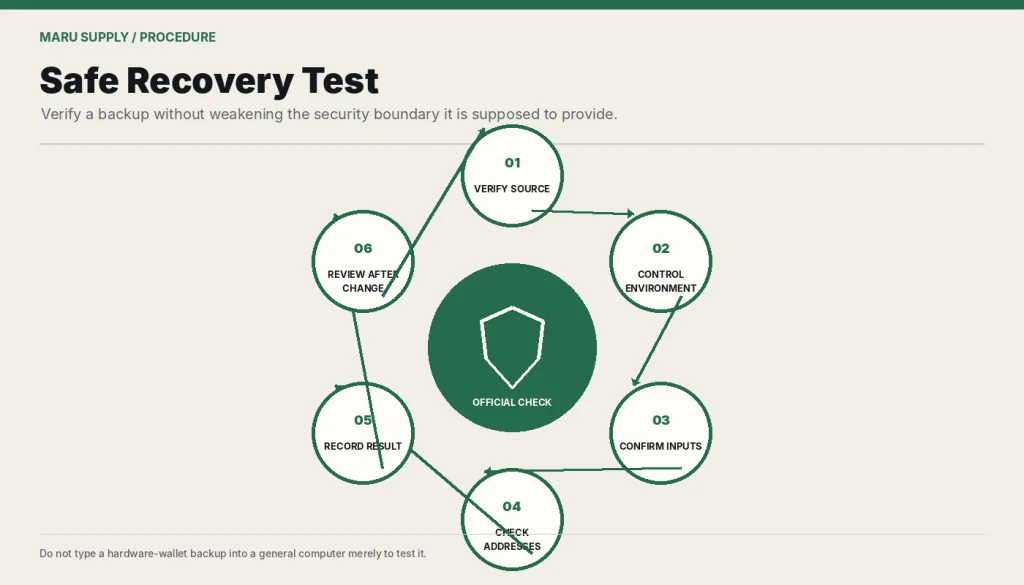
A backup that has never been checked may contain a spelling, order, or passphrase error. Use the wallet manufacturer’s official backup and recovery-check guidance where available. Verify the software source and perform the check in an environment consistent with the wallet’s security model.
Testing can create exposure
Do not enter a hardware-wallet seed into a general computer or website simply to see whether it works. A test should not weaken the protection the backup was intended to provide.
Plan for emergencies and succession
A secure backup that no authorized person can locate or understand may fail during illness, incapacity, or death. A succession plan should explain the existence of the wallet, the recovery process, and who is authorized to act—without placing every secret in one easily stolen document.
Inheritance and legal treatment vary by jurisdiction. Use qualified local legal advice for estates, trusts, business ownership, or shared custody. Maru Supply does not provide legal or estate-planning advice.
Seed phrase storage checklist
- The phrase was generated by authentic wallet software or a trusted signing device.
- The word order and spelling were confirmed during setup.
- No photograph, screenshot, email, or cloud note was created.
- The backup is protected from likely physical damage.
- Unauthorized people cannot casually discover or read it.
- Redundancy does not create uncontrolled copies.
- Any passphrase is recoverable and stored according to a separate plan.
- The recovery method has been tested through an official procedure.
- The wallet type and recovery standard are documented separately.
- The plan is reviewed after moving, changing devices, changing relationships, or increasing the amount at risk.
If the backup may already have been exposed, do not simply hide it better. Create a fresh wallet and transfer assets after verifying the new setup. Review common seed phrase scams and the lost-seed decision guide.
Before choosing a storage method, review what a seed phrase controls so the backup plan matches the consequence of loss or exposure.
Frequently asked questions
Is paper safe enough?
Paper can be an acceptable low-complexity backup when it is legible and protected, but it is vulnerable to environmental damage and disposal. The amount at risk and the storage environment should determine whether stronger physical controls are needed.
Should two copies be stored in two homes?
Geographic separation can reduce one-location risk, but each location must be evaluated for theft, access, disaster, and changes in ownership or relationships.
Can I laminate a paper backup?
Lamination may protect against some moisture and wear, but heat, adhesive, ink, and long-term material behavior vary. It does not protect against theft or total fire loss.
Should a seed phrase be split between locations?
Naively splitting words can make recovery fragile and may not provide the security people expect. Use a documented threshold-backup standard only when you understand its implementation and recovery requirements.
How often should the backup be checked?
There is no universal schedule. Check after setup, after any storage move or suspected exposure, and periodically enough to confirm that the record remains legible, present, and recoverable.